States
A grid is only showing rows some of the time. The rest of the time it is loading, refreshing, empty, filtered to nothing, broken, offline, or showing something older than the user thinks. Seven situations, and they need seven answers.
Collapsing them into one "No results" card is the most common grid bug there is, and it is a bad one because it is confident. It tells a person their data is gone when the truth is that a request timed out.
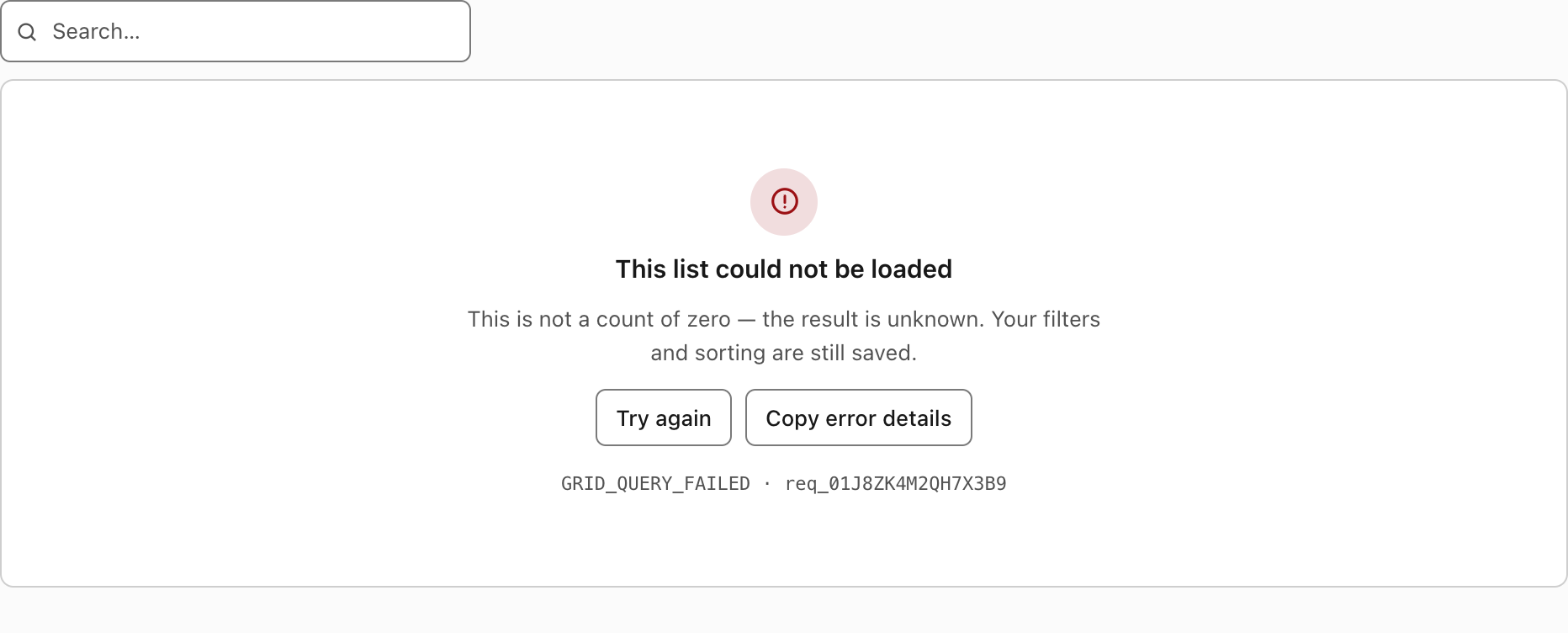
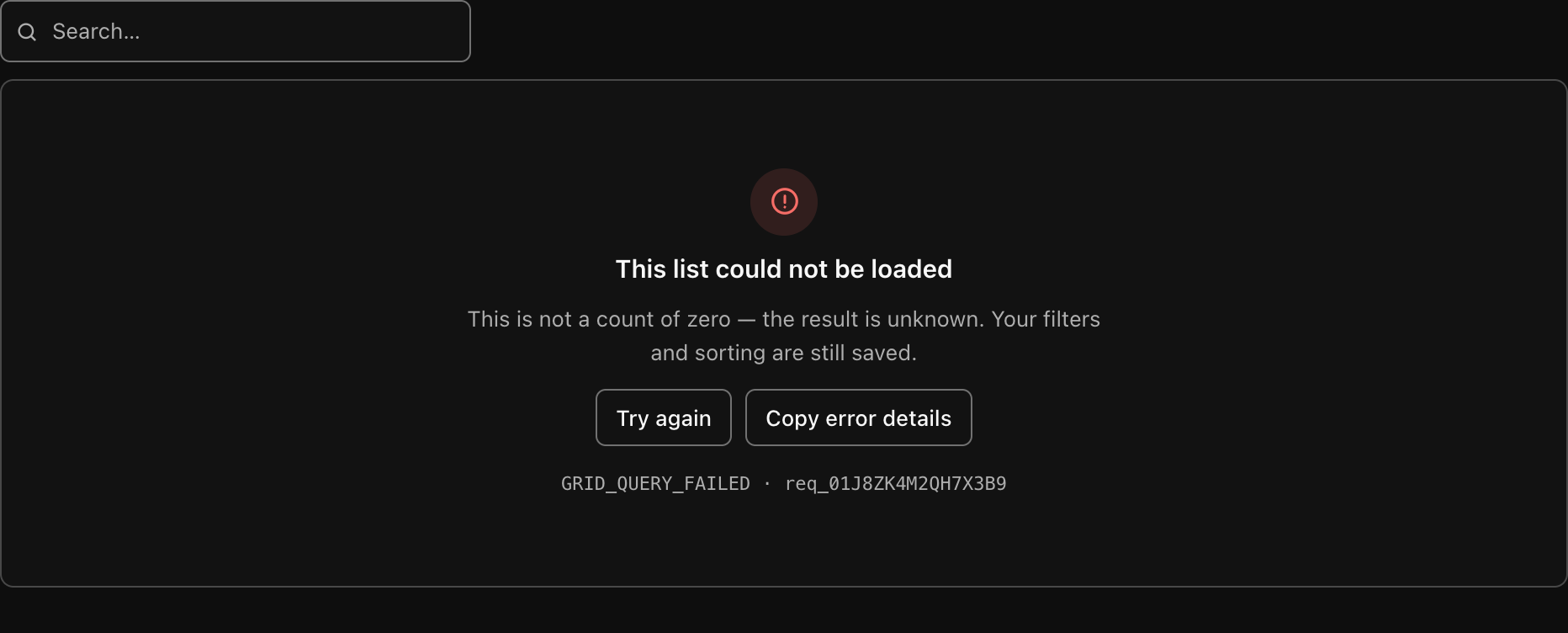
The error state. Note what it does not say: it does not say "no results", and it does not show a count.
The two distinctions that matter
Everything on this page follows from two sentences.
A failed request is not a count of zero. When a request fails, the number of matching rows is unknown. Rendering "0 results" asserts a fact you do not have. Users act on that assertion — they stop looking, they tell a colleague the record is missing, they re-enter data that already exists.
"Nothing matched your filter" is not "nothing exists". These need different words, and more importantly different actions. One offers to clear the filter. The other offers to create the first record, or explains why the list is empty, and would be actively unhelpful with a "Clear filters" button on it when there are no filters to clear.
There is a browser test for each: "a failed request does not say 'no results'", "a failed request says the count is unknown", and "empty and error read differently".
The seven
| State | What the user sees | The action offered |
|---|---|---|
| loading | A skeleton table | None — wait |
| refreshing | The previous rows, plus a thin sweep at the top | None — the rows still work |
| empty | "Nothing here yet" + your message | Yours to supply |
| no-match | "No results match" | Clear search and filters |
| error | "This list could not be loaded" + code + id | Try again, Copy error details |
| offline | "You are offline" | Try again |
| stale | A banner above rows that are still readable | Refresh |
loading
The first load, when there is nothing on screen yet. Six skeleton rows in the table's own geometry, with cell widths varied so it reads as a table rather than as a progress bar.
The container carries aria-busy="true", so assistive technology is told the region is populating instead of being read a table of blanks. The pulse animation is switched off under prefers-reduced-motion: reduce.
A skeleton rather than a spinner because the skeleton says something a spinner does not: this is going to be a table, roughly this shape. The page does not jump when the rows arrive.
refreshing
Any load after the first: a new page, a new sort, a new search. The rows already on screen stay exactly where they are, and a two-pixel gradient sweeps across the top of the frame.
Replacing the rows with a skeleton on every refresh throws away whatever the person was reading. It is also a lie about how much changed — sorting a list you are already looking at is not the same event as loading it for the first time, and it should not look like one.
The distinction is made for you: both builds set refreshing when a request starts and rows are already present, and loading when there are none. The sweep animation is also disabled under prefers-reduced-motion.
empty
The request succeeded, there are no filters, and there are genuinely no records.
The title is "Nothing here yet". The body is the emptyMessage you supply, and it is worth supplying one — the default, "Nothing here yet.", is a placeholder, not a message. Say what this list will contain and how the first one gets there:
emptyMessage: "No titles have been added to this shop yet.";There is deliberately no action button on this state, because the right action is specific to your screen — "Add a book", "Import a CSV", "Wait for the first sync". The stylesheet renders .dg-state-actions if you supply one through the CSS-only path.
no-match
The request succeeded, there are filters, and nothing matches them.
The title is "No results match" and the body is "No rows match the current search and filters." One button: Clear search and filters. It clears the search text, the filter conditions and the segment in a single change — which, because it is dispatched as "reset", also returns to page 1 and drops the selection.
That button is why the state has to be distinguished from empty. A user who has narrowed a list to nothing has a specific problem with a specific fix, and the fix should be one click, not a hunt through a toolbar to find which of four filters is the one doing it.
The condition both builds use: any of q, filter.conditions.length, or segment is set.
error
The request failed. The count is unknown, and the copy says so:
This list could not be loaded This is not a count of zero — the result is unknown. Your filters and sorting are still saved.
The second sentence is doing work. A user whose grid just broke wants to know whether they are about to lose ten minutes of filtering, and the answer is no — the query is in the URL, so retrying restores exactly the same view.
The pagination row is hidden in this state. Showing "0 of 0" beneath an error would reintroduce the count you just said you did not have.
Errors carry a code and a request id. Throw an object with them from your load function:
async load(query, signal) {
  const res = await fetch(`/api/books?${query.searchParams}`, { signal });
  if (!res.ok) {
    throw Object.assign(new Error("Load failed"), {
      code: "GRID_QUERY_FAILED",
      requestId: res.headers.get("x-request-id"),
    });
  }
  return res.json();
}
Both appear beneath the buttons as GRID_QUERY_FAILED · req_01J8ZK4M2QH7X3B9. A stable code, not the raw message: the code is the thing a user can search your help centre for and a support agent can recognise, and it must not change when someone rewords an exception.
Copy error details puts exactly this on the clipboard:
Error: GRID_QUERY_FAILED
Request ID: req_01J8ZK4M2QH7X3B9
Page: /books
Grid: bk
Time: 2026-08-23T09:41:02.318Z
Online: yes
Six lines, and the shortlist is deliberate. No tokens, no row data, no stack traces, no query string. This text is going to be pasted into a ticket, a chat channel, or an email — all places where it will be readable by more people than the user expects, and where it will persist. A diagnostic that is safe to paste gets pasted; one that might contain a customer's name does not, and then you get "it broke" with no request id at all.
Grid: bk is the namespace. On a page with several grids it is the difference between a reproducible report and a guess.
If the clipboard write is refused — an insecure context, a browser permission — the button says "Press Ctrl+C" rather than silently doing nothing.
The button only appears when there is a code or a request id to copy. There is nothing useful to put on the clipboard otherwise.
offline
The same block, different words, because the cause is different and so is the fix:
You are offline The rows below could not be refreshed. Your filters are still saved.
Detected from navigator.onLine; the vanilla build also treats an error with code: "NETWORK_OFFLINE" as offline, so you can force the state from your own fetch wrapper when you know better than the browser does.
Telling someone with no network that "this list could not be loaded" invites them to retry, look for an outage page, or file a bug. Telling them they are offline points at the actual problem.
stale
Rows are on screen, they loaded successfully, and they are now older than the user is likely to assume — a tab left open over lunch, a polling interval that failed twice, a refresh that errored while old data was still displayed.
This one is yours to trigger
The stylesheet ships .dg-banner and .dg-banner-danger for it, and both are covered by the forced-colors and print rules. Neither build decides staleness for you, because only your application knows the freshness policy — thirty seconds for a live queue, a day for a stock list.
<div class="dg-banner" role="status">
  Showing data from 11:42. <button class="dg-btn" type="button">Refresh</button>
</div>
Put it above the frame, inside the .dg host. Use .dg-banner-danger when the age has crossed from "worth mentioning" into "do not act on this".
The reason to have a state for this at all: silently showing old rows is the same failure as silently dropping a filter. The person believes they are looking at something they are not, and nothing on the screen contradicts them.
Where the states come from
Both builds run the same small machine, and the status you get is:
| Condition | Status |
|---|---|
| A request is in flight and there are no rows | loading |
| A request is in flight and rows are present | refreshing |
| The request resolved | ready |
| The request rejected | error |
empty and no-match are then decided from ready plus the row count plus whether anything is filtering. offline is decided inside the error state. stale is yours.
Requests are aborted when superseded. Typing four characters into the search box does not leave four responses racing to be the one that renders last — each new request aborts the previous AbortController, and an aborted request never touches state. That is what stops the classic bug where a slow first response overwrites a fast second one and the grid shows results for a search the user has already changed.
The search box is debounced at 250 ms, which is long enough to batch typing and short enough to feel immediate. One request per keystroke is how you rate-limit yourself.
If you are rendering the states yourself
Through the CSS-only path, the structure is:
<div class="dg-state dg-state-error">
  <div class="dg-state-icon" aria-hidden="true"><!-- svg --></div>
  <div class="dg-state-title">This list could not be loaded</div>
  <div class="dg-state-body">This is not a count of zero — the result is unknown.</div>
  <div class="dg-state-actions"><button class="dg-btn" type="button">Try again</button></div>
  <div class="dg-state-meta">GRID_QUERY_FAILED · req_01J8ZK4M2QH7X3B9</div>
</div>
The modifier is dg-state-{kind} where kind is loading, empty, nomatch or error. Only dg-state-error currently changes anything visually — it tints the icon with --dg-danger — but keeping the modifier accurate costs nothing and means a future stylesheet can style the others without you revisiting the markup.
The one thing not to do is reuse a single block with different text and the same class. The whole point of this page is that these are different situations; a dg-state-error in the DOM when the truth is "no match" will eventually mislead whoever is reading a screenshot in a bug report.